 rivetrivet
Git-native workstation snapshots
Rivet records the explicit packages and the configuration you approved — and nothing else. It is not a disk imager and not a backup product. It is the shortest honest path from a fresh install back to your machine.
Git is the default because it makes every change reviewable as a diff — but snapshots go wherever you keep them: a mounted NAS, S3, B2, Drive, Dropbox, SFTP and ~70 more via rclone, or a restic repository. Configure several and every snapshot fans out to all of them. Storage backends →
Linux — and macOS, if you skip Homebrew
curl -sSf https://rivet.fobiat.workers.dev/install | shRead the script before piping it into a shell — same as you should for any installer.
macOS — Apple Silicon and Intel
brew install fobiat/rivet/rivetOne universal binary, and the recommended route: Homebrew attaches no quarantine flag, so there is no Gatekeeper prompt. Install details.




See it run
Recorded against a throwaway VM. Nothing sped up, nothing staged.
❯ rivet scan
Rivet scan
Arch Linux · x86_64
412 native package(s) · 37 foreign package(s)
9 supported configuration group(s) found
❯ rivet snapshot --repo ~/rivet-snapshots --push
Rivet snapshot
Recorded a new snapshot.
Pushed to origin.
❯ rivet restore --repo ~/rivet-snapshots
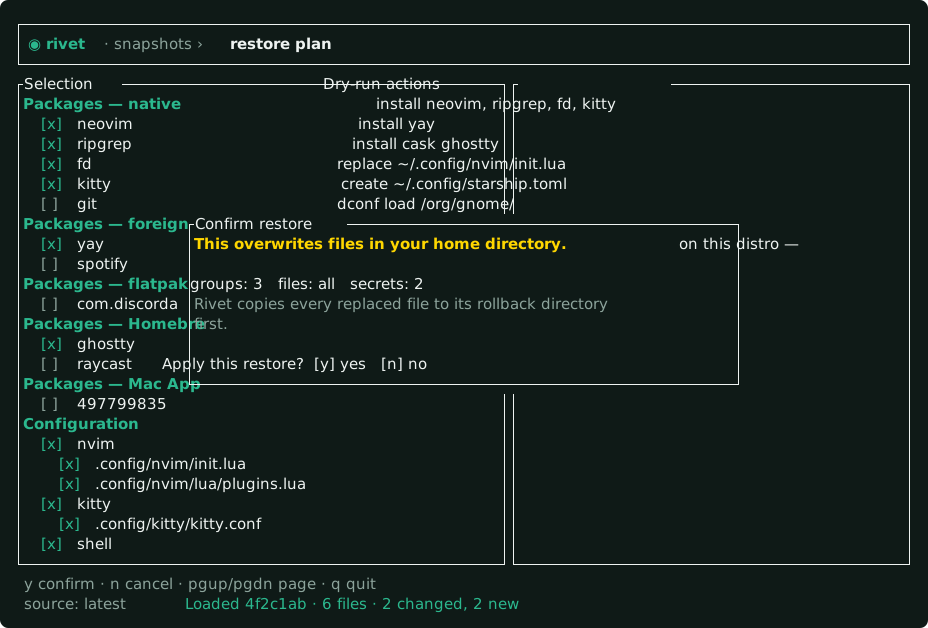
Rivet restore plan
1,204 configuration file(s) · 318 package(s) · 0 AppImage(s) · 0 hook(s) · 4 secret(s)
This is a dry-run plan. `restore --apply --yes` installs the approved
package sources and overwrites tracked configuration only after review.Review before you restore
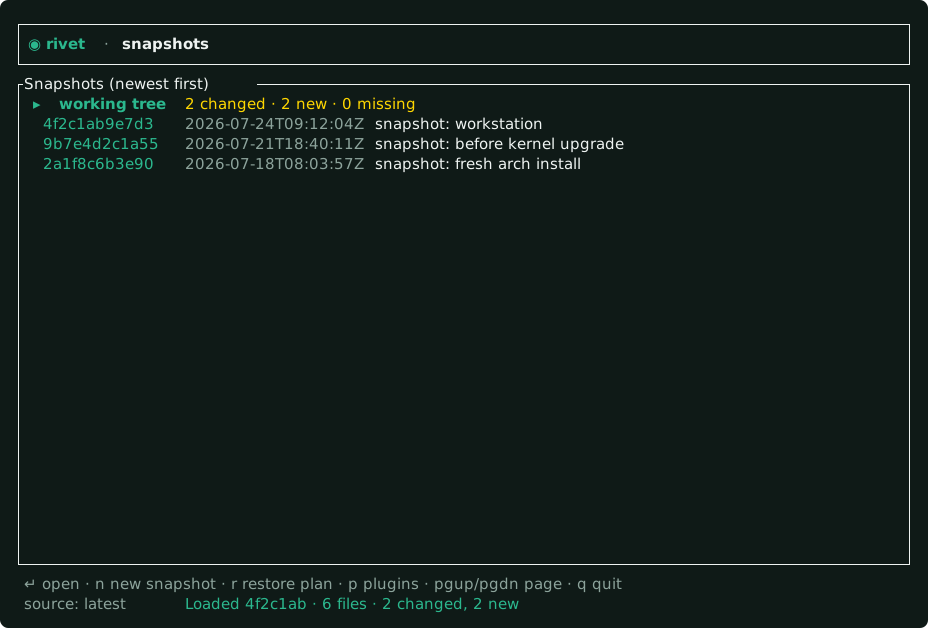
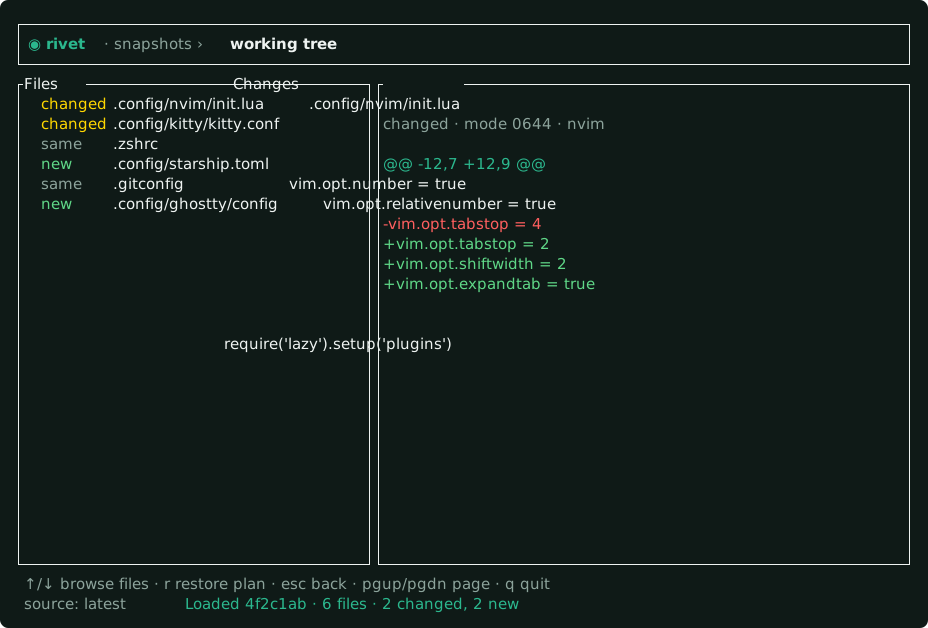
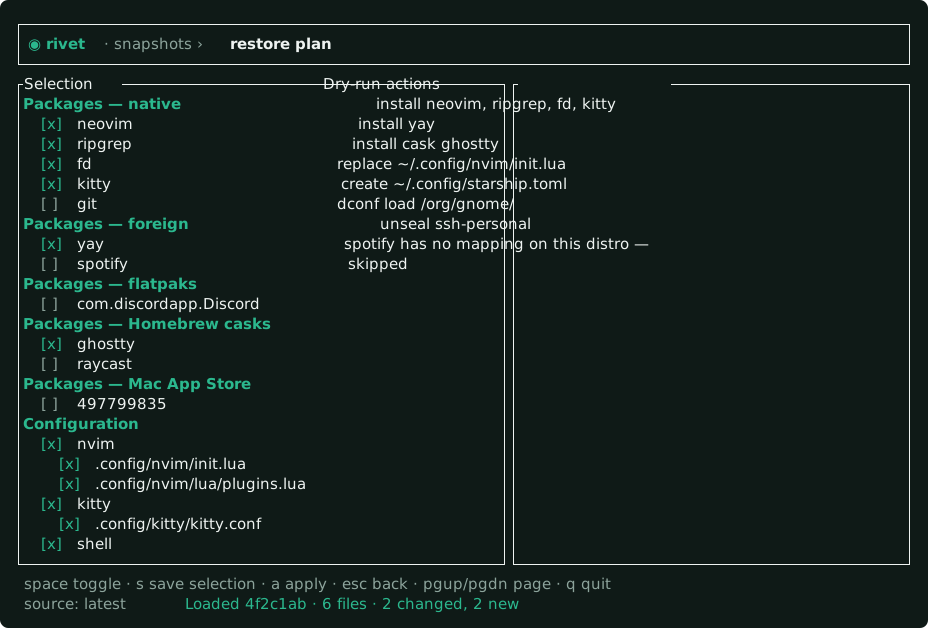
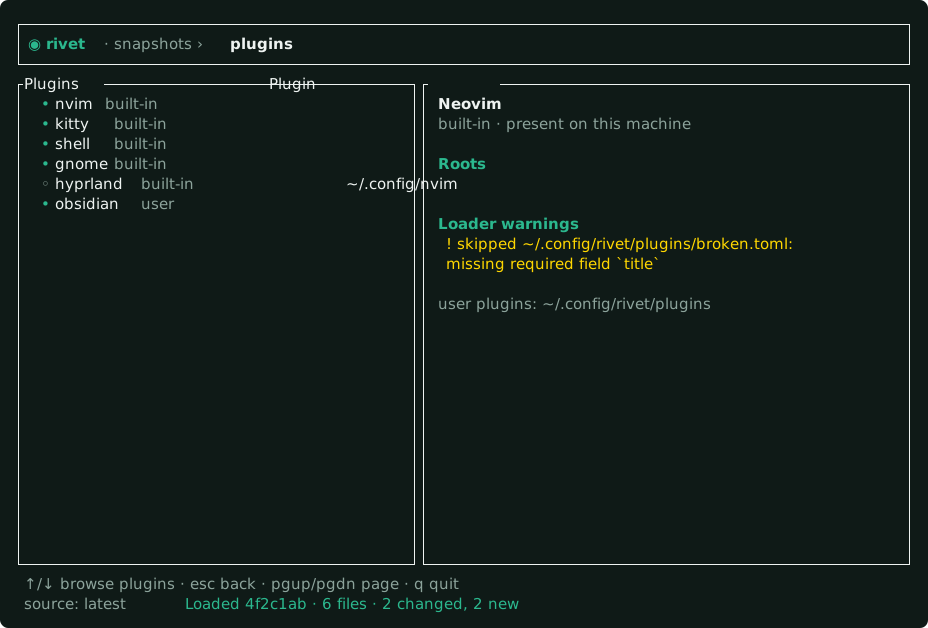
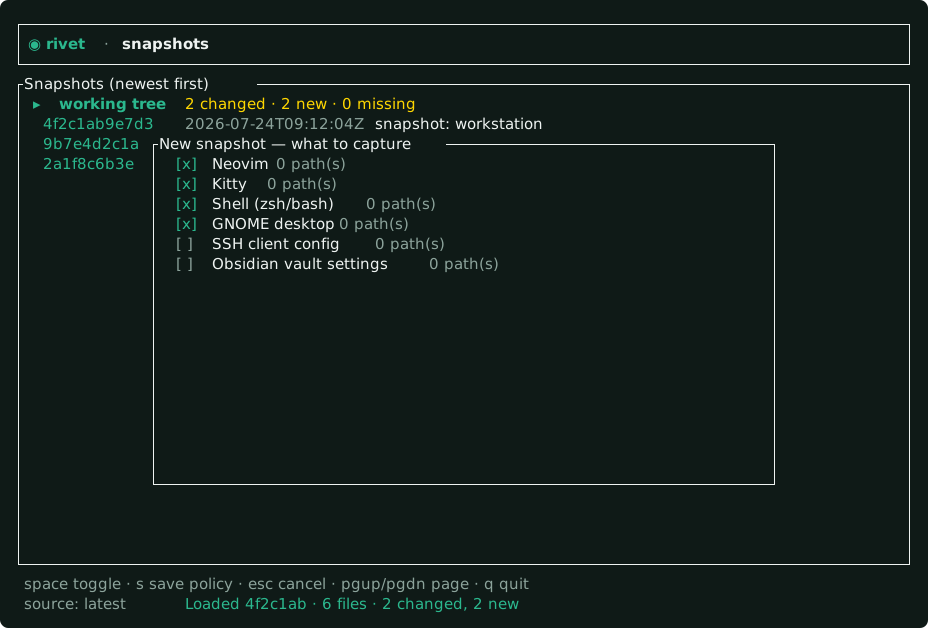
rivet tui puts drift, history, per-file diffs and the restore plan in one place. It is a front end, not a second implementation — every action it takes has a CLI form, and if the two disagree the CLI is right.
Scope, stated plainly
A tool that reads your home directory owes you an exact answer to this question. Here is Rivet's, in full.
What you get
Every snapshot is a commit. Review the diff before anything touches your machine, and roll back to any revision with --revision.
A Repology-derived package map translates names between families — including a brew column — so an Arch snapshot can rebuild a Fedora box, or a Mac.
git by default; fs for a mounted NAS, rclone for ~70 cloud providers, restic for deduplicated history. Snapshot fans out to all of them.
age primitives with multi-recipient encryption and passphrase-wrapped identities, plus an optional sops store.
Rivet refuses to capture credential-shaped files and warns loudly rather than silently omitting a group that vanished.
KDE, GNOME, Cinnamon, Xfce, Hyprland, Sway, niri, i3, Kitty, VS Code, Neovim and more — declared as data, not code. Add your own in TOML.
Supported today
Three commands
rivet init --repo ~/rivet-snapshots --github you/rivet-snapshotsAlways a separate private repo — never your source tree.
rivet checklist --repo ~/rivet-snapshots --select
rivet snapshot --repo ~/rivet-snapshots --push
checklist only shows supported paths that exist. No broad home scan.
rivet restore --repo ~/rivet-snapshots
rivet restore --repo ~/rivet-snapshots --apply --yes
Without --apply you get a plan and nothing else.